Welcome to Komandorr

Modern Service Monitoring Dashboard
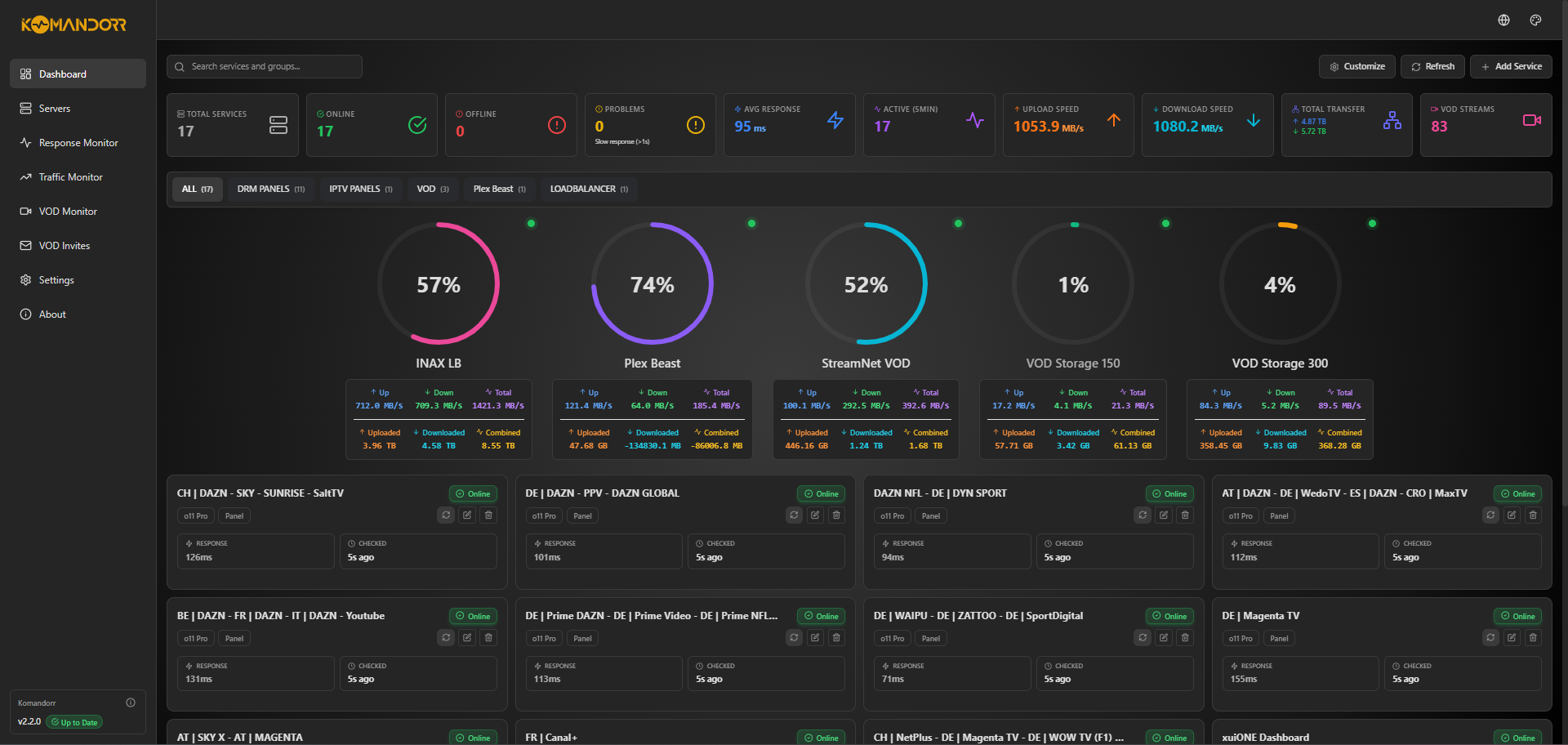
Overview
Komandorr is a powerful, feature-rich service monitoring dashboard designed to keep track of your applications, websites, APIs, panels, and infrastructure. With SQLite-backed data persistence, built-in Plex integration with invite management, traffic monitoring, and 11 beautiful themes, Komandorr makes monitoring your services simple, elegant, and scalable.
Version 2.3.0 introduces a complete Plex invite management system with user accounts, OAuth redemption flow, library-specific access control, and advanced user management capabilities.
Key Features
Real-Time Service Monitoring
Monitor unlimited services in real-time with customizable health checks, service grouping, and instant status visibility. Set individual check intervals from 30 seconds to 1 hour per service.
SQLite Database Storage
Efficient database backend stores up to 1000 historical data points per service. Automatic migration from JSON, better performance, and reliable data persistence.
Plex Invite Management (New in v2.3.0!)
Complete Plex invitation system with custom invite codes, library-specific access control, permission management, OAuth-based redemption, and comprehensive user account management. Create invite links with usage limits and expiration dates, manage user access to specific libraries, and track all invited users with detailed statistics.
VOD Streams (Plex Integration)
Seamlessly integrate with Plex Media Server to monitor and display your video-on-demand streams with real-time playback information.
Traffic & Bandwidth Monitoring
Track bandwidth usage with circular progress visualizations showing real-time speeds (MB/s) and cumulative data transfer (GB/TB) with automatic unit conversion.
11 Beautiful Themes
Choose from 11 stunning themes: Dark, Plex, Jellyfin, Emby, Seerr, and 6 Marvel Infinity Stone-inspired themes.
Multi-Language Support
Fully localized interface with English and German support (more languages coming soon).
Optional Authentication
Built-in username/password protection with session management to secure your dashboard.
Quick Start
Get started with Komandorr in minutes:
Visit Getting Started for detailed installation instructions.
Why Komandorr?
- Easy to Use: Simple configuration with environment variables and intuitive web interface
- Beautiful UI: Modern, responsive interface built with React and Tailwind CSS, inspired by Sonarr/Radarr
- Flexible: Support for various service types, custom check intervals, and service grouping
- Scalable: SQLite database stores up to 1000 historical points per service
- Extensible: Full REST API with OpenAPI documentation for integration
- Lightweight: Minimal resource usage with efficient monitoring and automatic cleanup
- Customizable: 11 themes, multi-language support, and optional authentication
- Self-Hosted: Complete control over your monitoring data
Technology Stack
- Backend: Python 3.10+ with FastAPI and SQLAlchemy ORM
- Frontend: React 18 with Vite, TailwindCSS, and Lucide Icons
- Database: SQLite 3 for lightweight, serverless data storage
- API: RESTful API with automatic OpenAPI/Swagger documentation
Community & Support
License
Komandorr is released under the MIT License. See LICENSE for details.